Best Freelancer Hub Notion Dashboard Templates for Managing Your Online Business!
Freelancing and running an online business often means juggling multiple platforms, client projects, content ideas, invoices, deadlines, and creative workflows all at once. Whether you are a freelancer, digital creator, online service provider, or small business owner, having a cohesive system to manage your online business can make a huge difference in staying organized, productive, and creatively focused.
For those unfamiliar with the platform, Notion is an all-in-one digital workspace and productivity tool that allows users to create customizable dashboards, databases, planners, content systems, project trackers, client portals, and workflow management systems all in one place. Many freelancers, creators, startups, and online businesses use Notion to centralize their business operations, streamline workflows, and create more organized digital ecosystems that support both creativity and productivity. One of the biggest advantages of Notion is that it offers an incredibly generous free plan, making it highly accessible for freelancers, creators, and small online businesses looking to build organized systems without significant upfront costs. While Notion also offers paid plans with additional advanced features and team collaboration tools, the free version alone provides exceptional value for building and managing a professional online workflow ecosystem.
That’s why Notion has become one of the most popular tools for freelancers and online businesses looking to streamline their workflows, organize digital assets, manage clients, track projects, and build a more efficient online business ecosystem. From content planning and CRM systems to finance tracking and task management, the right Freelancer Hub Notion dashboard can help simplify your digital workspace while keeping everything in one aesthetic and functional place.
Investing in a well-designed prebuilt Freelancer Hub Notion template can also help eliminate decision fatigue and save countless hours trying to build complicated systems from scratch yourself. Instead of constantly reinventing workflows, setting up dashboards, or figuring out how to organize your business operations, a ready-made Notion system allows you to focus your energy on the work that actually drives growth, creativity, productivity, and value within your business. Having a streamlined digital workflow can make managing your online presence feel far more intentional, cohesive, and sustainable long term.
In this post, we are sharing some of the best Freelancer Hub Notion dashboards for managing your online business — including templates designed to support creators, freelancers, digital entrepreneurs, and online brands looking to build a more organized and cohesive online presence.
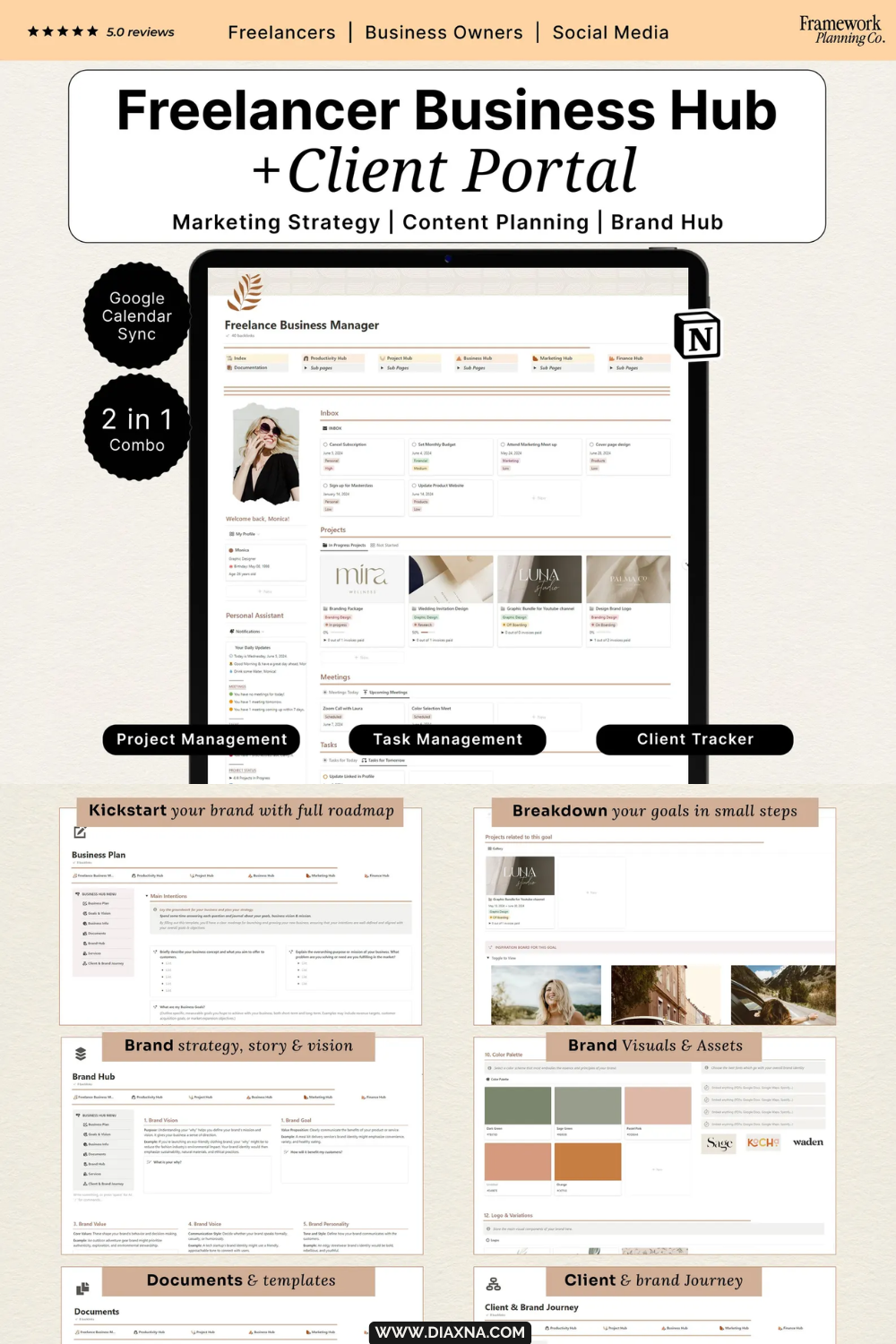
This all-in-one Freelancer Dashboard and Client Portal template for Notion helps freelancers, digital creators, online service providers, and entrepreneurs organize clients, projects, content planning, finances, productivity workflows, and business operations within one cohesive digital workspace.
Featuring built-in project management systems, marketing planners, financial tracking, monthly planning tools, and a dedicated client portal for sharing updates and files, this aesthetic Notion dashboard is perfect for creating a more streamlined, organized, and professional online business ecosystem.
Store: FrameworkPlanningCo

The Freelance Business Hub by Plannissm is an all-in-one Freelancer Notion template designed to help freelancers, digital creators, and online business owners manage clients, projects, workflows, planning, and business operations from one organized digital workspace.
Featuring client management systems, project trackers, workflow organization tools, productivity dashboards, and customizable planning sections, this Freelancer Business Hub template helps streamline freelance workflows and create a more efficient online business ecosystem.
Brand: Plannissm
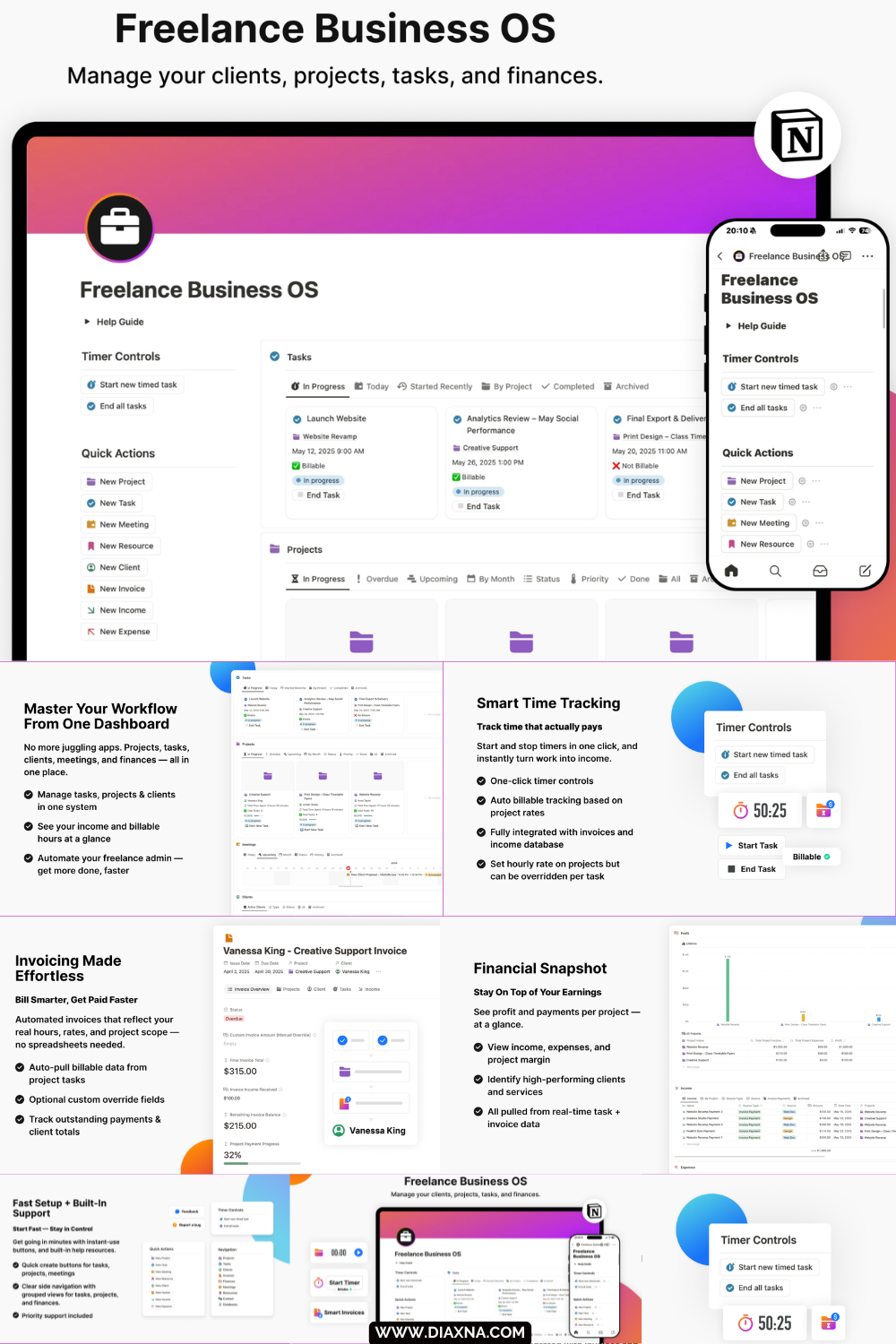
Freelance Business OS by Digital Plan is an all-in-one Freelancer Hub Notion template designed to help freelancers, creatives, consultants, and online business owners manage clients, projects, tasks, meetings, invoices, finances, and productivity workflows from one streamlined digital workspace. Built to simplify freelance business management, this powerful Notion dashboard includes smart time tracking, automated invoicing, financial tracking, project management systems, task organization, and a built-in client CRM to help create a more organized and efficient online business ecosystem.
With dedicated sections for tracking billable hours, managing client communication, monitoring income and expenses, organizing meetings, and overseeing projects from one centralized dashboard, this Freelancer Business OS template is ideal for digital creators, service providers, and independent professionals wanting to streamline their workflows and reduce digital overwhelm.
Store: Digital Plan

This Notion Business Planner by GraceAndGrow is an all-in-one business management template designed for freelancers, service providers, and creatives looking to organize clients, projects, marketing, productivity, and finances from one streamlined digital workspace.
Featuring dedicated hubs for project management, client organization, marketing planning, business strategy, productivity tracking, and financial management, this aesthetic Notion template helps simplify day-to-day business operations while creating a more organized and efficient freelance workflow.
Perfect for designers, photographers, writers, strategists, consultants, and other service-based creatives wanting a centralized Notion dashboard to manage their business, projects, and long-term growth more effectively.
Brand: GraceAndGrow
Tips for incorporating a freelancer hub Notion dashboard into your workflow:
• Create a centralized online business workspace -
Managing projects, client communication, invoices, content planning, tasks, and meetings from one organized dashboard can help simplify your workflow and reduce digital overwhelm.
• Focus less on building systems & more on high-value work -
Using a prebuilt Freelancer Hub Notion dashboard can help eliminate decision fatigue and save time setting up complicated workflows from scratch, allowing you to focus more on creativity, productivity, client work, and business growth.
• Build more consistent workflow habits -
Creating repeatable systems for:
project management
content planning
client onboarding
financial tracking
weekly organization
can help make running an online business feel more streamlined and manageable long term.
• Customize your dashboard around your workflow style -
One of the biggest advantages of Notion is flexibility. Freelancer Hub dashboards can often be adapted to support different types of online businesses, digital workflows, productivity styles, and content ecosystems.
• Support a more cohesive online Presence -
Organized backend systems can help create a more intentional and professional online business ecosystem while making it easier to manage your digital workflows, branding, content, and day-to-day business operations more efficiently.
If you are looking to further organize and elevate your digital workflow ecosystem, explore more Notion templates, online business tools, creator resources, content planning systems, and digital organization ideas here on Diaxna Digital. You can also discover more resources for building a cohesive online presence, managing content workflows, growing an aesthetic digital brand, and simplifying your online business systems. Check our other related posts:
Affiliate Disclosure: This post contains affiliate links, which means I may earn a small commission on purchases made through these links at no extra cost to you. Thank you for supporting this site.
Online business management tools:




Recent posts:


Streamline your business with the ultimate Notion Dashboard Hub! Perfect for coaches and small businesses, this all-in-one planner, CRM, and financial tracker helps organize tasks, manage deadlines, and set goals. Features include client management, social media planning, and financial tracking. Boost productivity and streamline your operations with this comprehensive tool.